Reads your code. Test cases and reviews point to the file and line they came from, so anyone can check the claim.
Early accessNow open for new teams
AI tools for Azure DevOps that read your code.
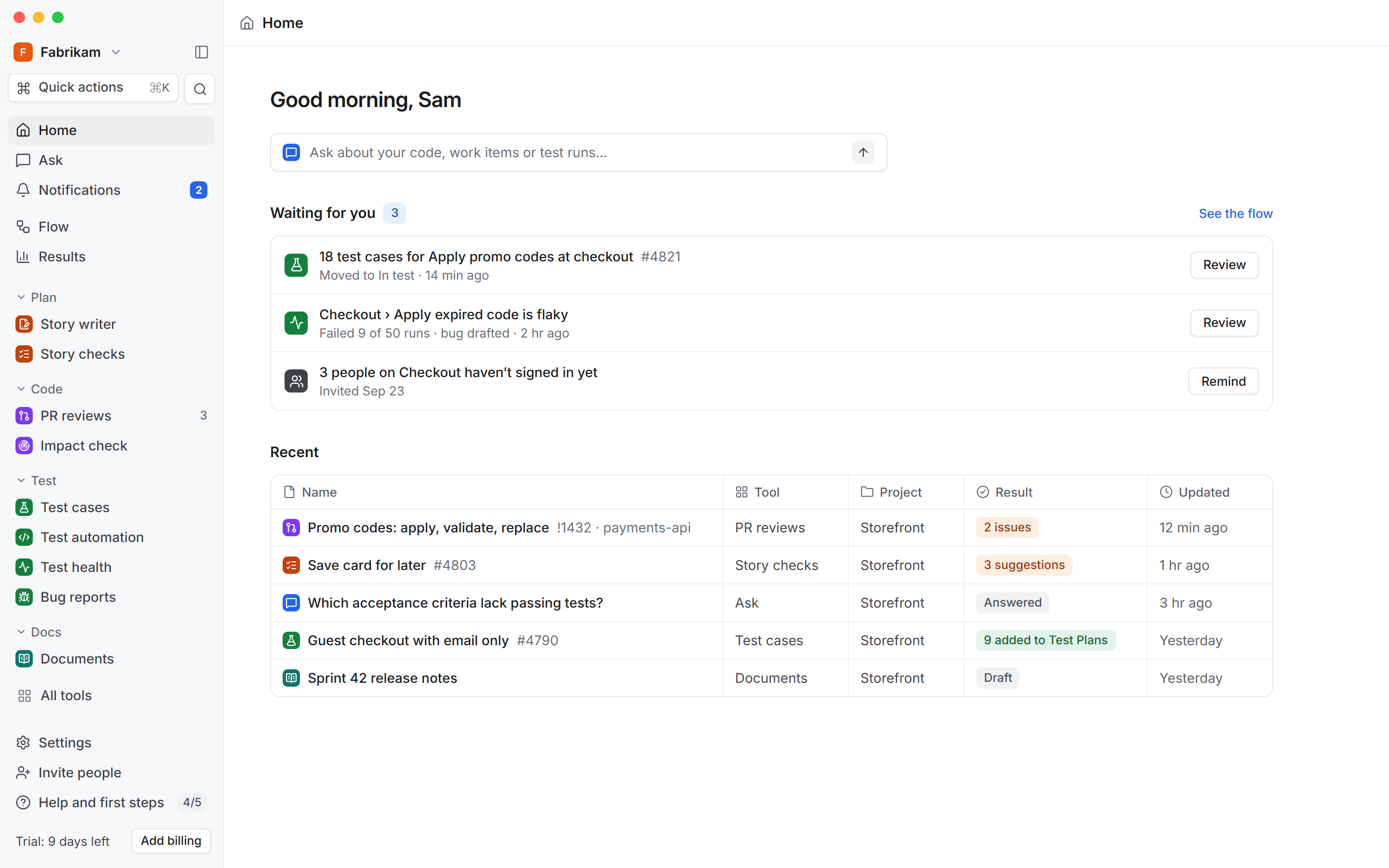
Stories checked, test cases drafted for Test Plans, and pull requests reviewed against the story.
Works with the tools your team already uses
 Azure DevOps
 GitHub
 Microsoft Teams
 Slack
Slack Jira
Jira Asana
Asana Confluence
Start with the tool you need most.
Each tool works on its own. Use one today and add the next when your team is ready.
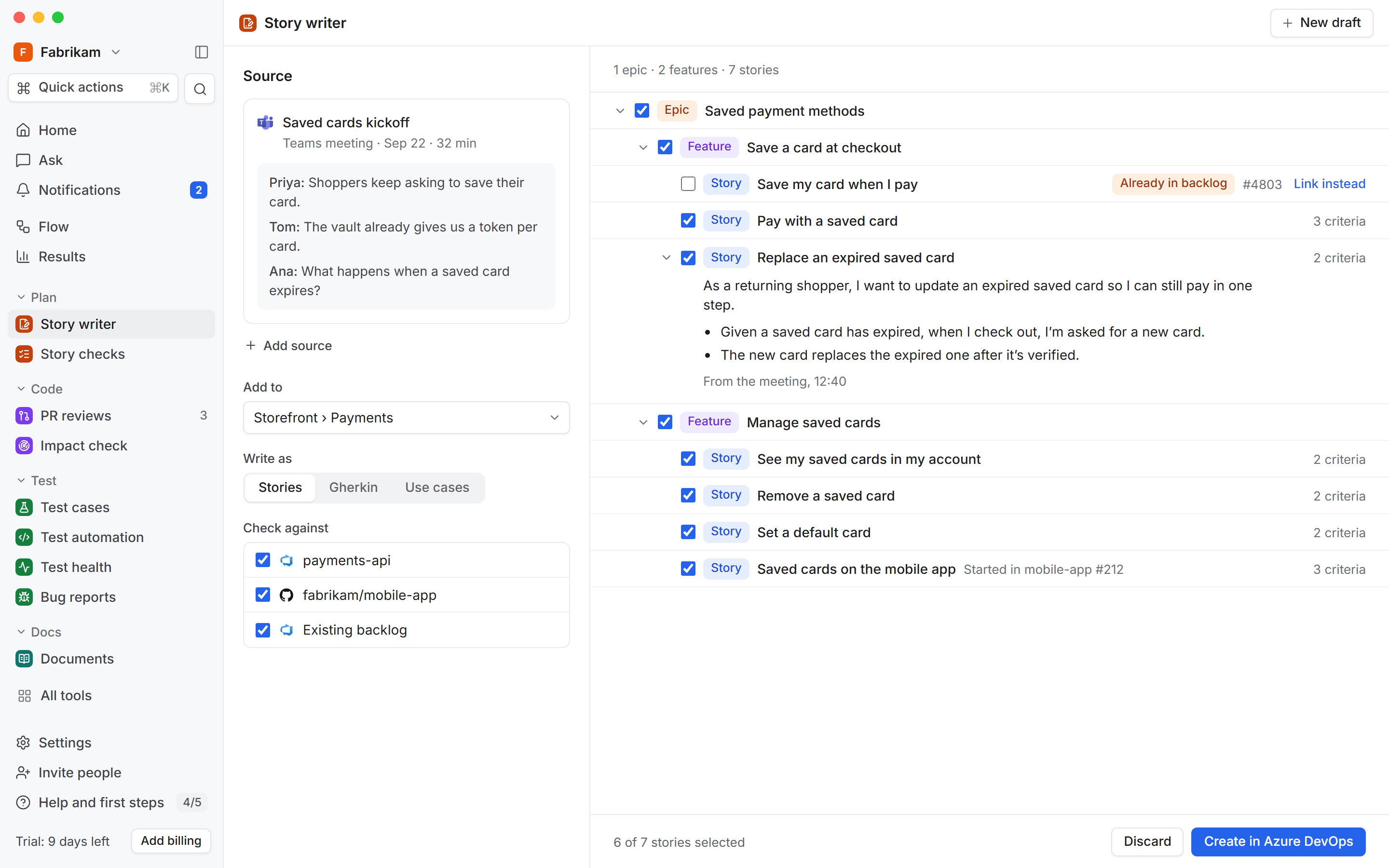
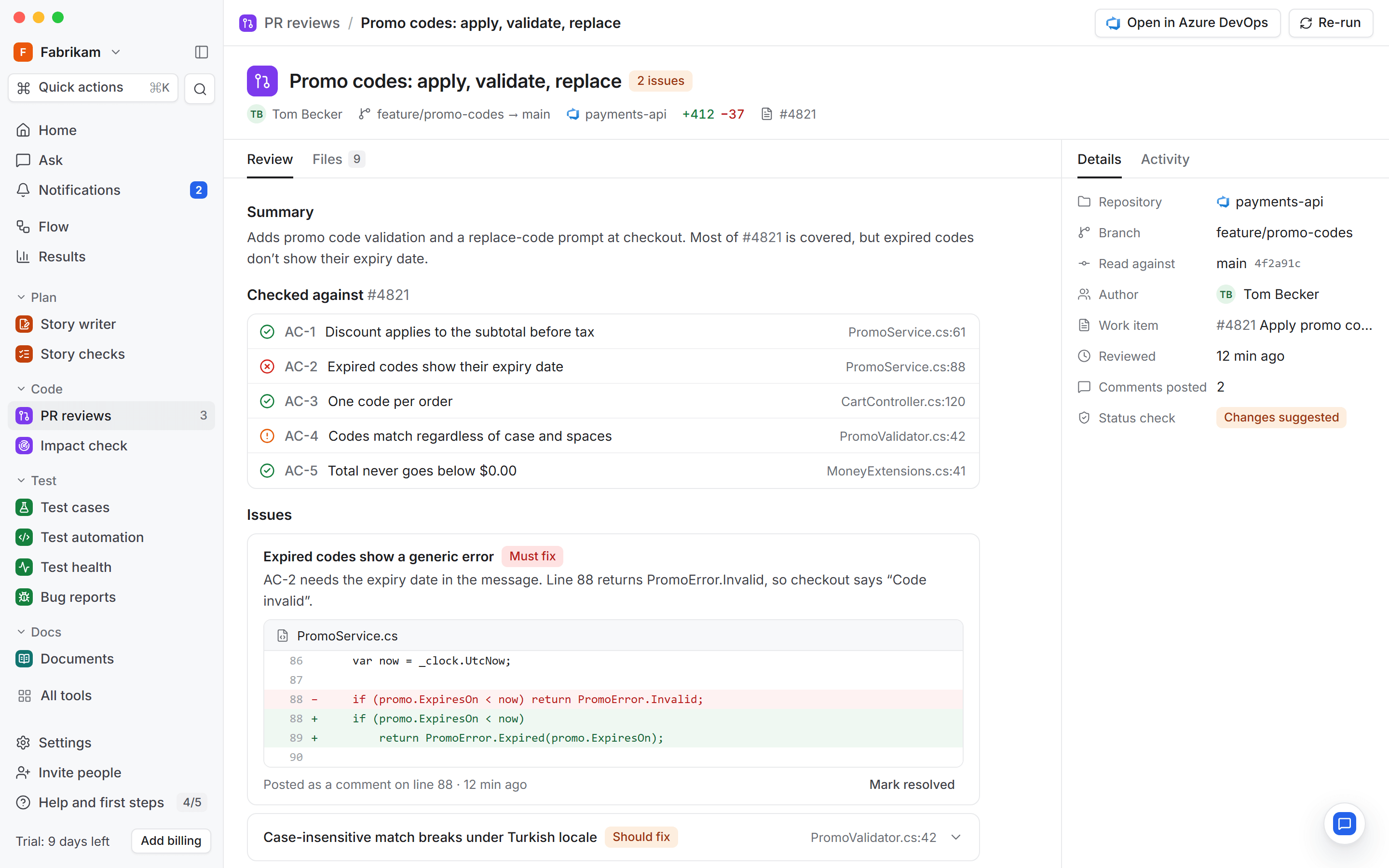
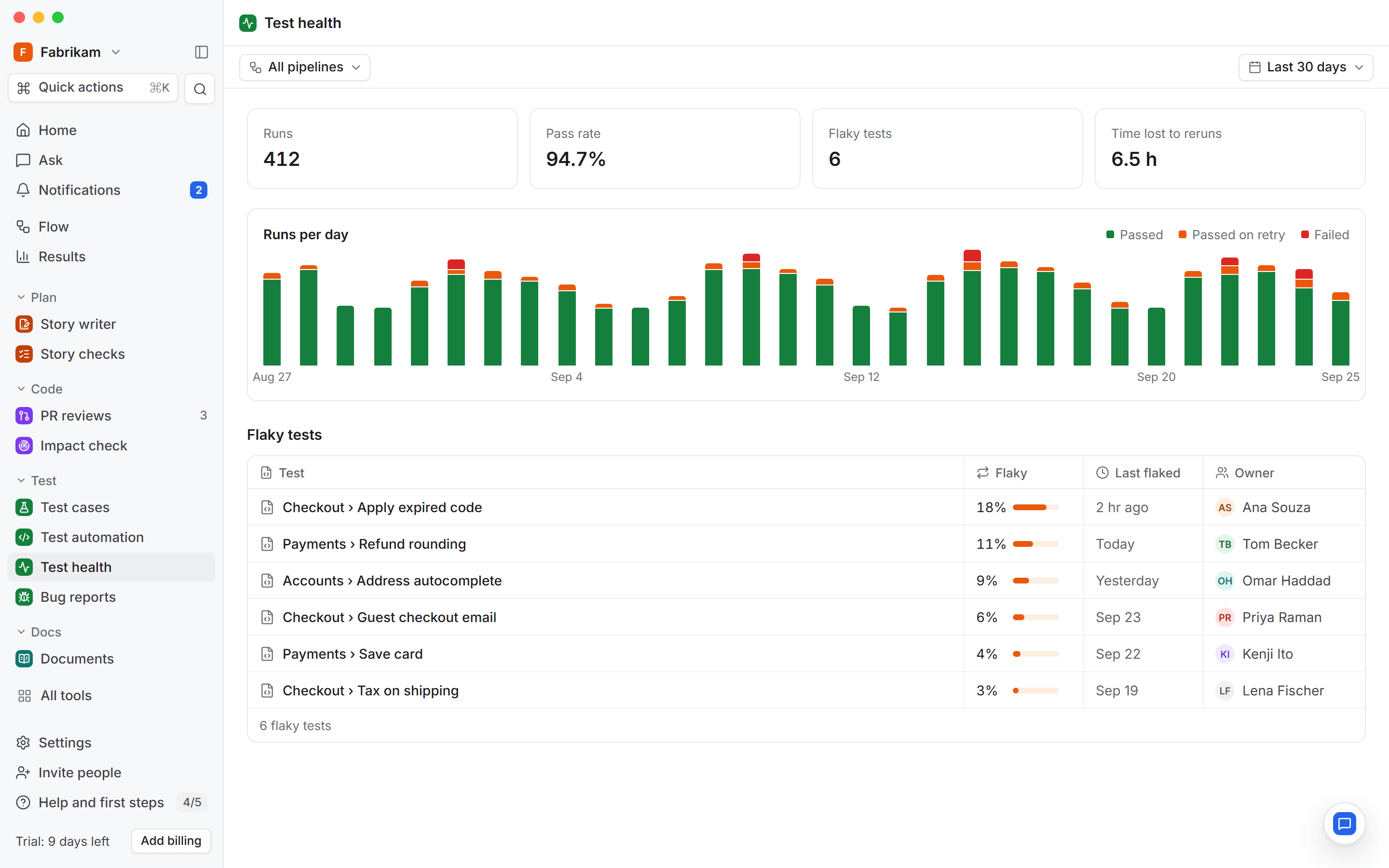
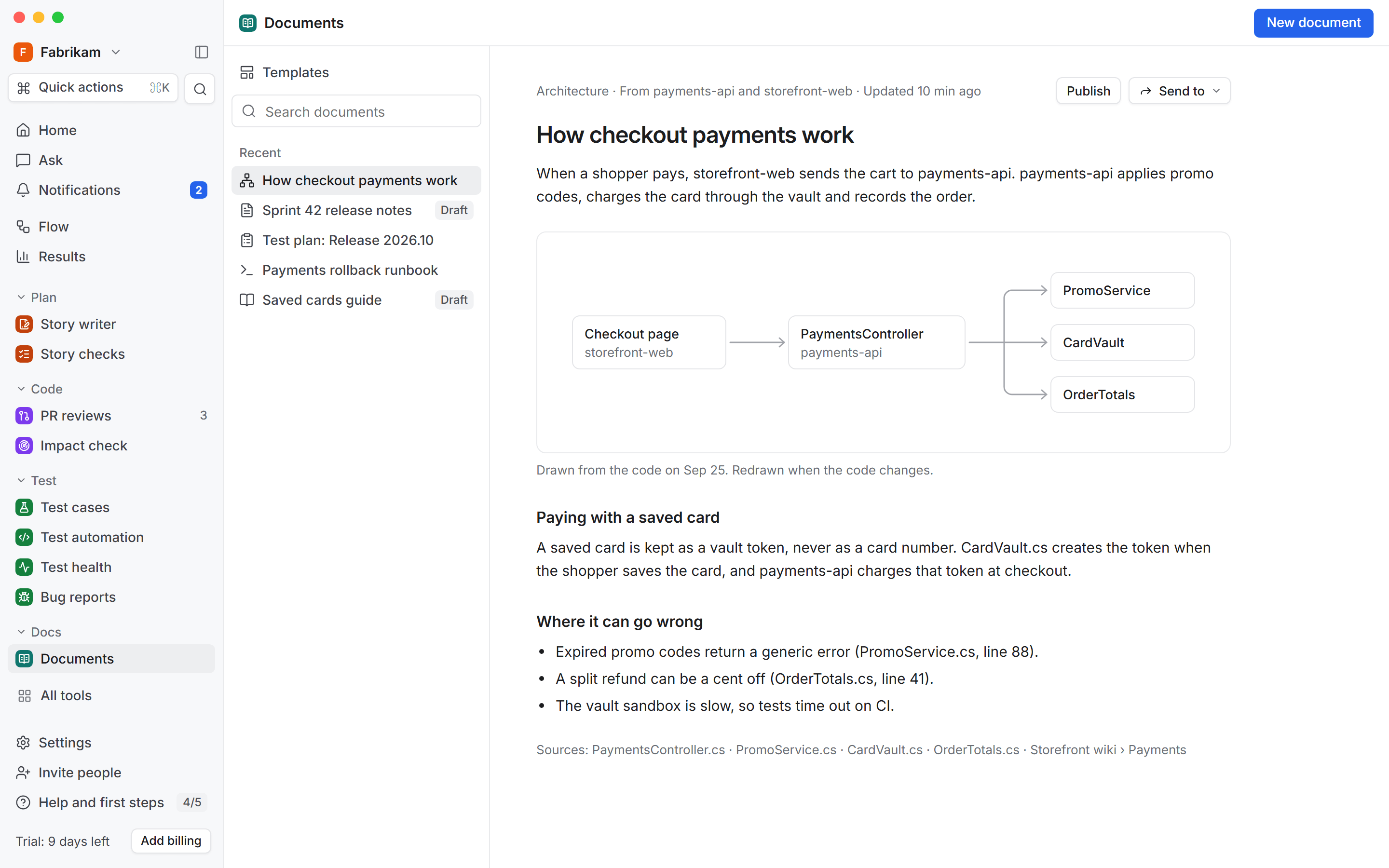
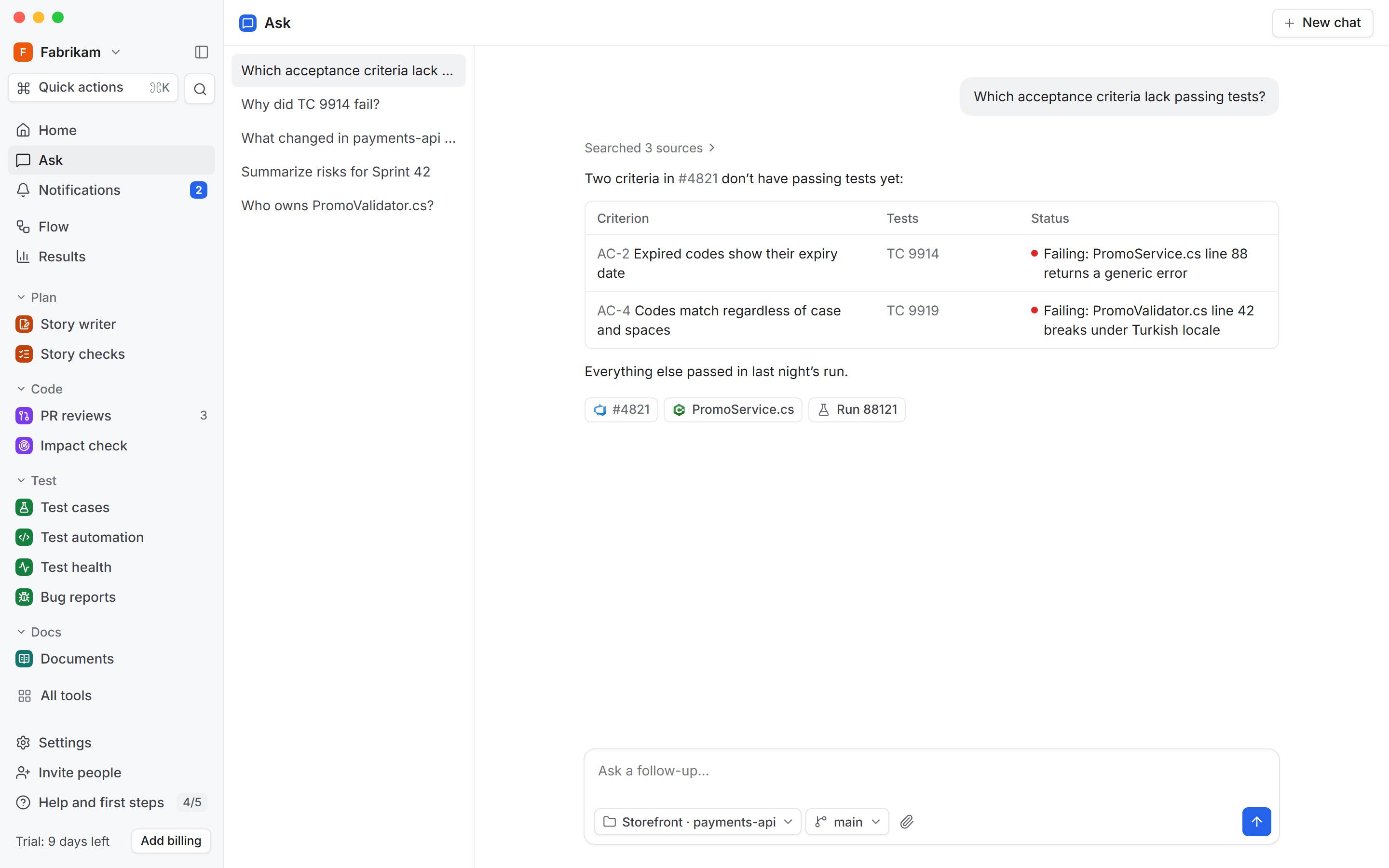
Works inside Azure DevOps. Check the story or generate test cases from the work item itself. Reviews post straight to your pull requests.
Your code stays where you choose. Index it in our cloud, in your own Azure subscription, or only on your laptop with the desktop app.
- DevOps Studio cloudEast US 2
- Your Azure subscription

- Only on each person’s computerDesktop app
Fits the stack you have. Connect Azure DevOps and GitHub, get results in Teams or Slack, and use every tool from GitHub Copilot, Visual Studio, Cursor, Claude Code or Codex.


Results move between tools. Send a checked story to Test cases or a flaky test to Bug reports. Tick one box and it happens every time.
Build your own tools. Write the prompt once. It shows up on work items, pull requests and in Ask for the whole team.
Fits the way your team already works.
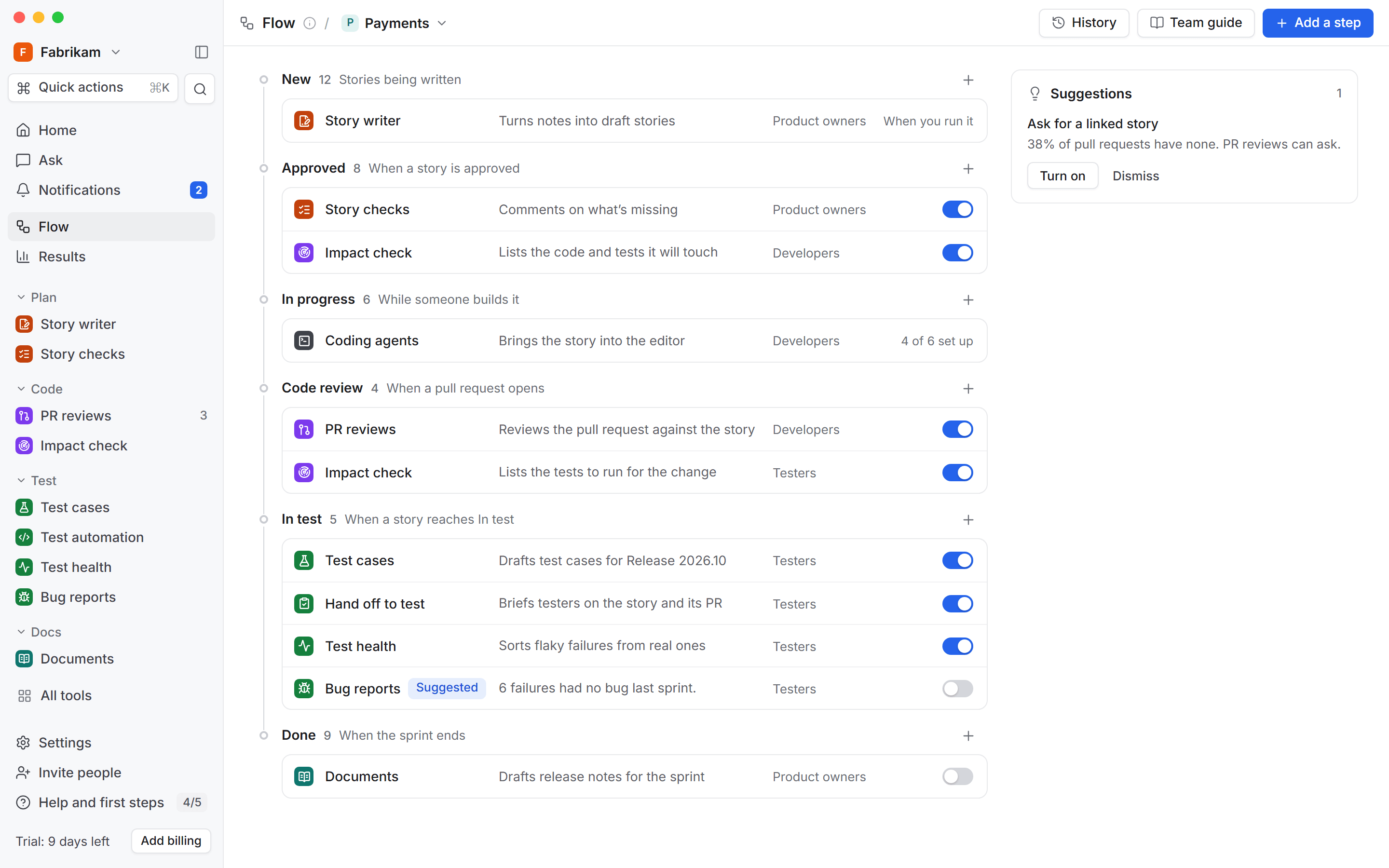
It reads your board and adds a step where it helps. Your board stays as it is.
One team at a time
Start with one team. Everyone else works as usual.
A guide in your wiki
Each team gets a page that says what runs. It updates itself.
Everyone knows their part
Developers, testers and product owners each get first steps.
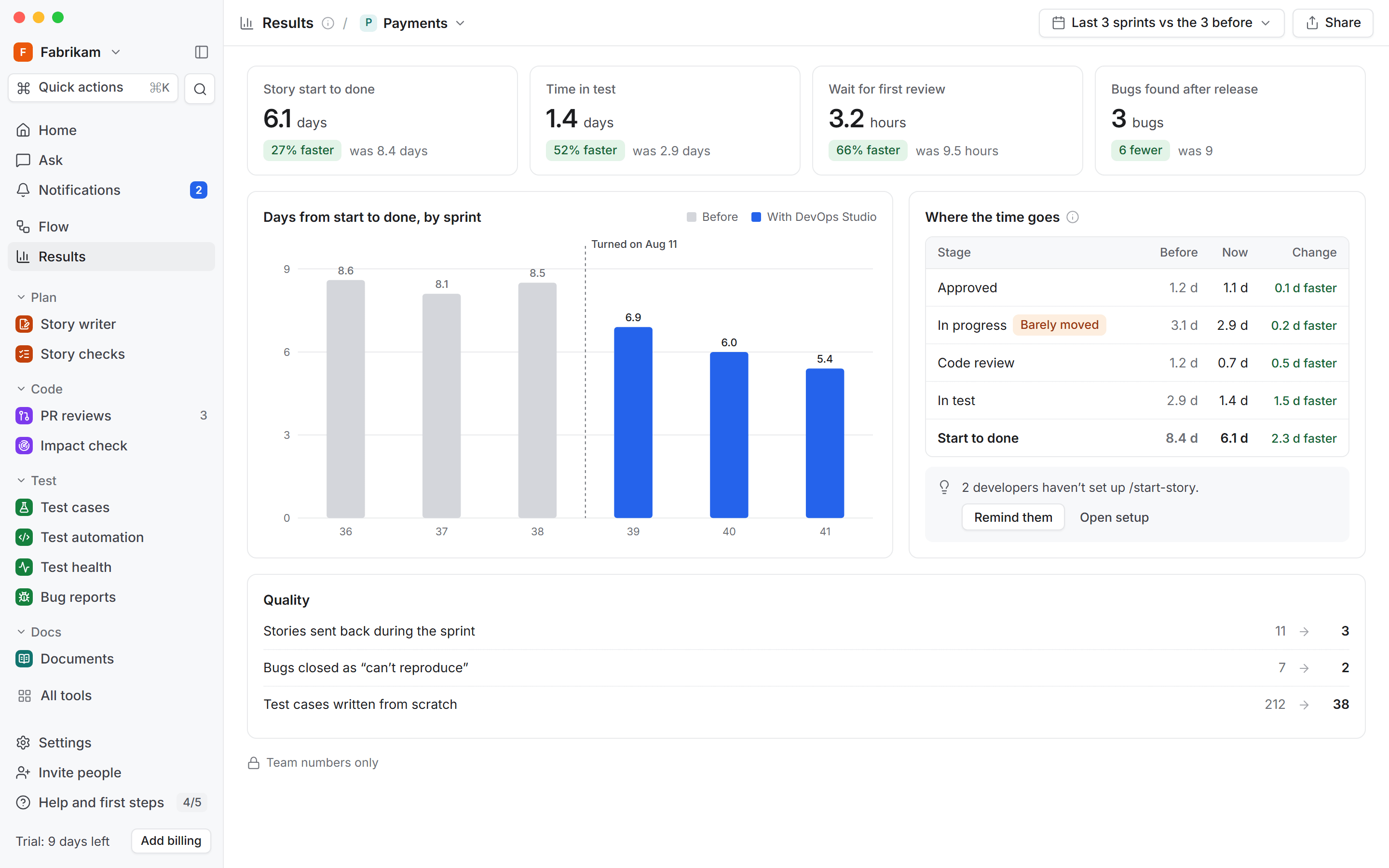
See whether it’s working.
Before and after for each team, from Azure DevOps history.